Contents
The Note object is used to highlight problem areas. It identifies critical processes for developing a successful vision of the future.
Figure 1 - Note |
|

The following objects can be selected from the toolbox. The parameter settings for the objects are always the same.
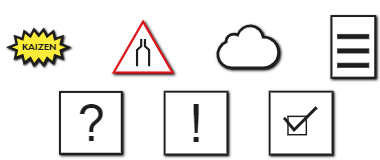
Figure 2 - Various Note Icons
Replacing Objects via Drag & Drop
Note objects can be replaced via drag & drop. To do this, simply drag the desired new object onto an existing one in the modeling interface.
A blue line indicates that the corresponding object can be replaced. This action must then be confirmed via a dialog box.
|
Note: Only the icon is replaced—text and formatting are retained. |

© SimPlan AG - Hanau District Court, Commercial Register (Part B) 6845 - info@simplan.de - www.simplan.de/en