In the Simulation section, you can define the simulation time periods.
Use the calendar icon at the end of the Simulation Start Date and Simulation End Date fields to set the respective time periods; use the arrows to navigate between individual days.
Clicking the Today button automatically sets the current date.
Once the time periods for the simulation have been defined, the simulation duration is automatically calculated and displayed in the Simulation Duration (days) field.
You can also manually enter a value in the Simulation Duration (days) field. After entering a value in this field, the date in the Simulation End Date field is automatically adjusted.
In the Statistics Reset (days) field, you can specify after how many days the statistics should be reset. The Random numbers variant parameter allows you to compare results based on the random number stream.
|
Note on Random numbers Variant: In Plant Simulation (Siemens), a random numbers variant refers to the specified method used to generate random numbers during a simulation. Plant Simulation uses a pseudo random number generator. To ensure that a simulation remains reproducible (same inputs → same results), a seed and a random number variant are used. Definition: A random numbers variant is therefore a fixed sequence of random numbers determined by the seed and the selected variant. •Seed: The starting value used to initialize the generator. •Sequence: Selection of a “random number sequence” within the generator. Combining the seed and sequence yields a unique sequence of random numbers that remains consistent throughout the entire simulation run. Benefits: •Reproducibility: You can run a model multiple times and obtain identical results as long as the seed and variant remain the same. •Comparability: In experimental test series (e.g., DOE, optimization), you can use variants to simulate multiple “random” scenarios without shifting the dependency to other sources of randomness. •Independence: Multiple objects (e.g., processors, sources) can use different variants so that their random numbers do not overlap. |

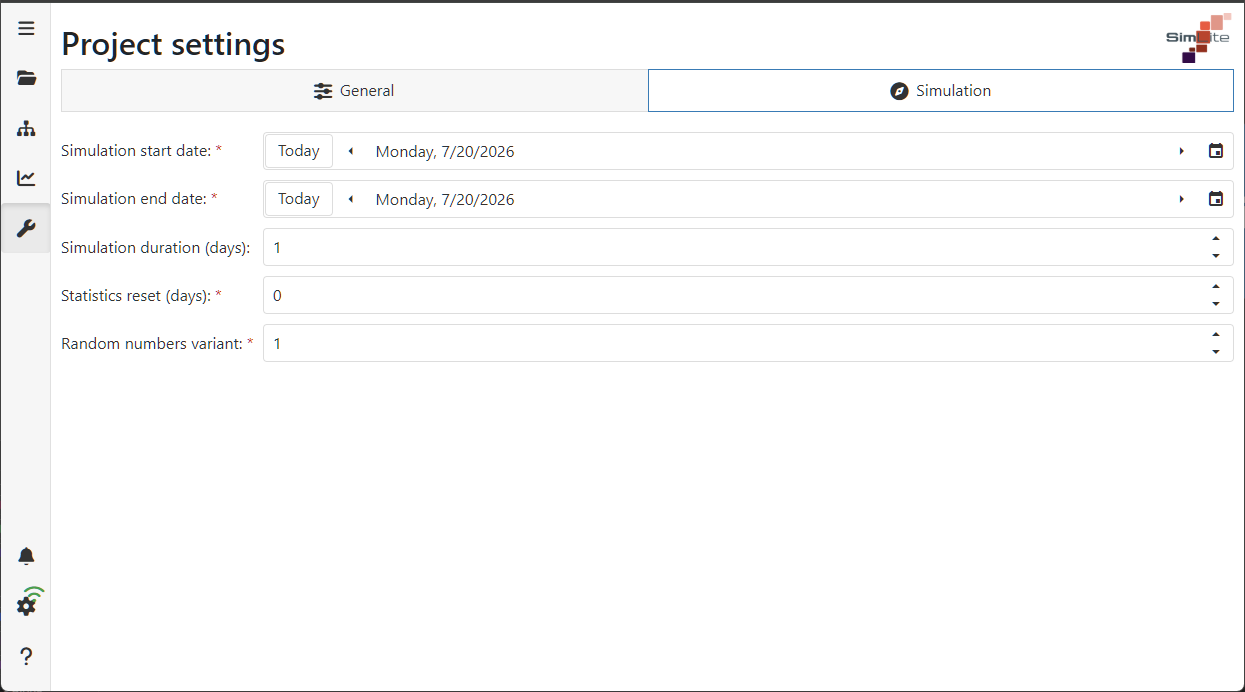
Figure 1 - Simulation Settings
© SimPlan AG - Hanau District Court, Commercial Register (Part B) 6845 - info@simplan.de - www.simplan.de/en