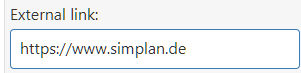
External links can be added to the text object using the input field. These can be either a hyperlink (link to a website) or a network link (link to a local file).
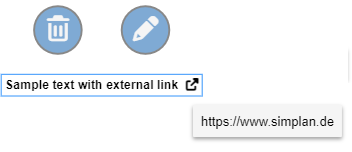
Once a valid link has been entered in the input field (see Figures 1 and 2), it will be displayed after the page menu is closed, following the text object’s content (see Figure 3).
The link can now be accessed with a mouse click. A dialog box will then appear, prompting you to confirm that you want to open the link.
Figure 1 - Input field for external links |
Figure 2 - Error message for invalid links |
Figure 3 - Result |

© SimPlan AG - Hanau District Court, Commercial Register (Part B) 6845 - info@simplan.de - www.simplan.de/en